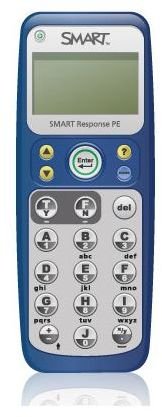
The innovative SMART Response Systems are a great way for teachers to learn more about student achievement than ever before. Find out how, and why, with this informative overview of what to expect from each model.
21st Century Teaching and Learning
Technology is becoming a vital component of the modern classroom and our 21st century learners need 21st century tools. The SMART Response systems cater exactly to this need, and represent some of the best and newest technologies in the classroom.
These innovative assessment tools are easy to master, great classroom motivators, and they can be used by even the youngest students.
What is SMART Response?
SMART Response Systems are interactive polling devices for students. They can provide the teacher with instant feedback on student progress, and can be used to monitor improvements over a period of time. SMART Response works with or without a classroom SMART Board. The handheld devices look similar to a remote control or over-sized cell phone. Students select an answer on the device, it is collected by an RF receiver, and a computer logs the answers of each individual student for the teacher to review instantly with the class, or later in private. Quizzes can be created on the included SMART Notebook software, or downloaded for free from the SMART Exchange website .
SMART Response PE
Perhaps the most popular SMART Response model is the SMART Response PE. It is designed for use in K-12 classrooms and comes with the SMART Notebook software which you need to produce engaging assessments for students. Teachers have the ability to ask true or false questions, numerical answer questions, yes or no questions, multiple choice or multiple answer questions . Teacher analysis tools are included to manage assessment results and help plan future student instruction. The ability to print and prepare student reports for parents is also possible with this model.
SMART Response LE
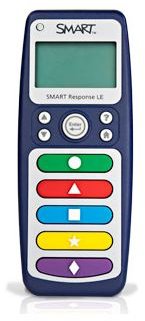
There are SMART Response Systems for all abilities and age groups. The SMART Response LE is designed for early education and students with special educational needs. The LE has a simplified remote with bigger buttons, shapes, and bright colors. The easier interface of the LE model means that students do not even have to be able to read or understand the number system in order to be involved in classroom assessments. Again, this system includes SMART’s Notebook software , so teachers have full control over test results.
SMART Response CE
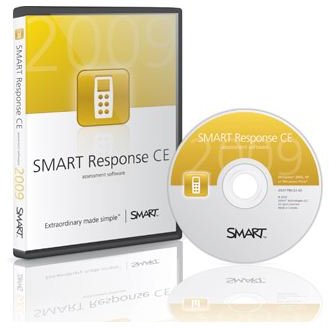
The SMART Response CE system is an assessment solution that does not require a handset or receiver. When using this version of the SMART Response, students answer questions on their computers. This system is best used in computer based learning environments where lessons are taught and administered in a computer lab, or a 1:1 computer environment. The SMART Notebook software lets you set up a SMART Response class , has all the question type options that the PE version offers, and adds a short answer option too.
SMART Response XE
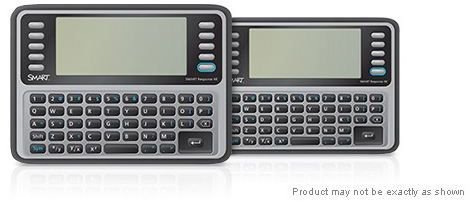
Summer 2010 was the scheduled release date for the SMART Response XE devices. This is one of the latest additions to the family of SMART Response systems, and one that looks set to be aimed at squarely at middle and high school students. The SMART Response XE devices feature a full alpha numeric keypad that will allow for a greater variety of questions and responses. The XE has been designed to support advanced Math and Science functions - a feature not yet available on the other devices. It also promises improvements to Notebook’s Teacher Tools interface, so should be a great all round improvement over existing SMART Response devices.
SMART Response VE (Beta)
SMART Response VE differs from most of the other models in the SMART Response range because, like the CE version, it is not actually a physical device for your students. The SMART Response VE is a browser based tool. Teachers create the quiz as normal, but students answer by logging on to the SMART VE portal with a variety of internet enabled devices. Supported devices include smartphones like the iPhone, or BlackBerry, or laptops, netbooks, home computers, and the iPod Touch. This adds flexibility to the teacher’s assessment methods, and is a great way to bring mobile learning into the classroom .
At this moment in time, the SMART Response VE is in beta testing, and is not yet widely available. However, SMART are looking for schools who would be interested in helping them test the new system in a classroom environment. So, if you are interested in trying the very latest addition to the SMART Response systems, you can sign up for a trial at the SMART website . The VE edition is free to existing SMART Response customers while it is still in its beta phase of testing.
SMART Response Systems are the next generation of assessment tools for teachers. Once mastered, they are time savers, student motivators, and an effective way of keeping track of your classroom grades.
Images courtesy of SMART Technologies ULC
All rights reserved
This post is part of the series: SMART Response Systems
An overview of SMART’s Interactive Student Response Systems, and an explanation of how to best use them in your classroom